AlmaLinux
9 · 10
Enterprise Linux for hosting, application, and general-purpose server workloads.
DEDICATED SERVER SOFTWARE OPTIONS
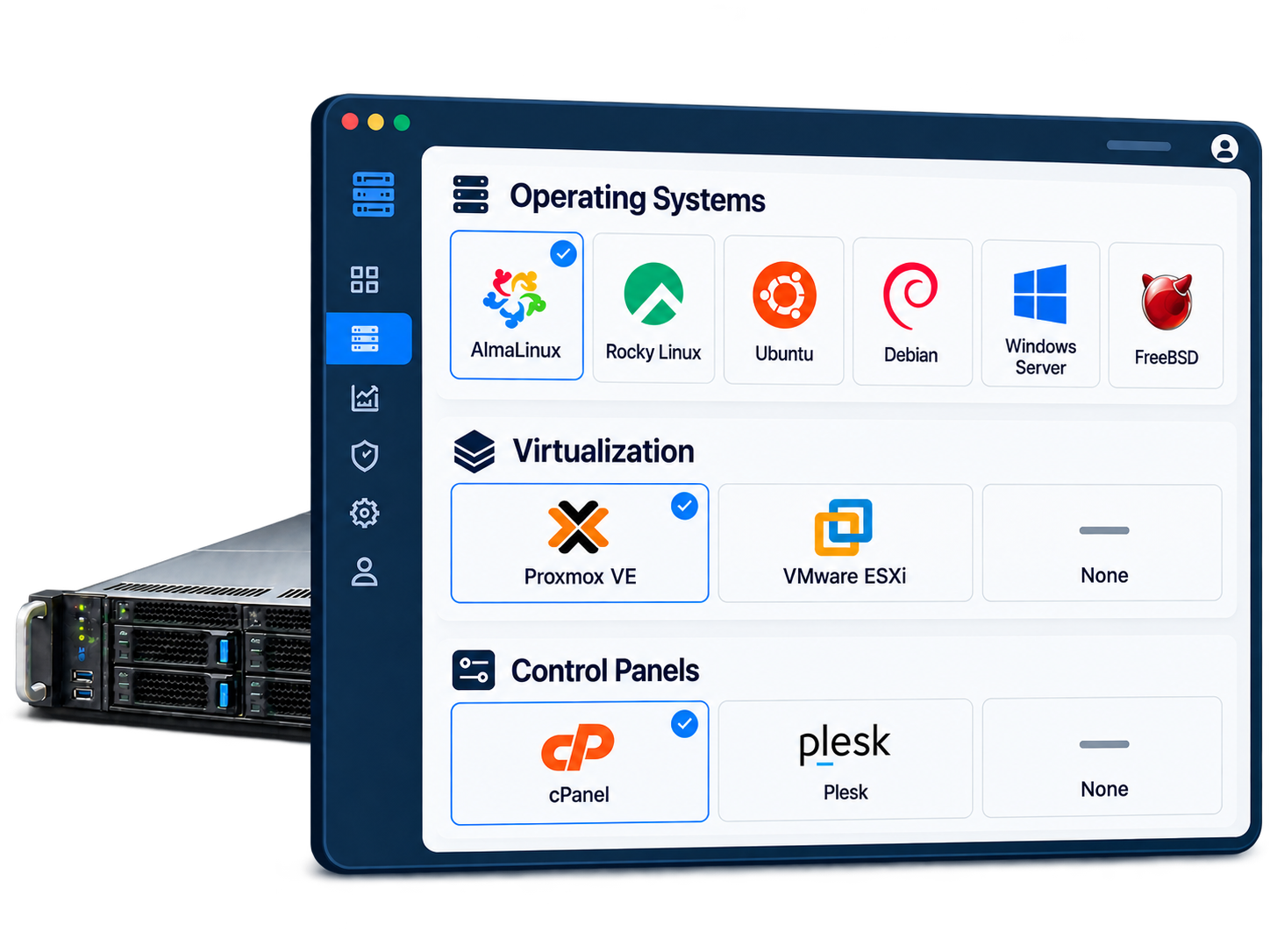
Choose the platform that fits your workload, then deploy through EqPanel automation or request technical installation assistance.
LINUX & BSD
Current Linux and BSD options for hosting, applications, development, and specialized server workloads.
9 · 10
Enterprise Linux for hosting, application, and general-purpose server workloads.
9 · 10
Stable enterprise Linux for long-running server environments.
22.04 · 24.04 · 26.04 LTS
Long-term support releases for modern applications, development, and cloud-oriented workloads.
12 · 13
Stable and flexible Linux for custom services, application stacks, and experienced administrators.
44
Current-release Linux for newer packages, development, and advanced use cases.
14.4 · 15.1
BSD operating system for experienced administrators and specialized server workloads.
10
Continuously delivered enterprise Linux for advanced environments and development workflows.
MICROSOFT WINDOWS SERVER
Choose Standard or Datacenter edition with EqServers technical installation assistance.
2019
Standard · Datacenter
2022
Standard · Datacenter
2025
Standard · Datacenter
VIRTUALIZATION
Deploy a supported virtualization platform and manage the guest environment under your own licensing and administration.
9 · 8 (Legacy)
Virtualization platform for KVM virtual machines and Linux containers.
Proxmox VE 8 reached upstream end of support in August 2026.
8.0
Hypervisor option for customer-managed VMware environments.
HOSTING CONTROL PANELS
Select a compatible panel during deployment and use an EqServers-provided or eligible external license.
Hosting control panel for compatible Linux server deployments.
Plesk for compatible Linux and Windows Server environments. EqPanel automation is available for supported deployment combinations.
LEGACY & CUSTOM OPTIONS
Selected legacy and custom systems remain available for migration, compatibility, or existing workload requirements.
11
Legacy installation available by request.
Debian LTS support ended on 31 August 2026.
20.04 LTS
Legacy installation available by request or through customer-managed remote installation.
9
Legacy installation available by request.
2016
Standard · Datacenter
Legacy Windows Server installation available with technical assistance.
DEPLOYMENT OPTIONS
Use the deployment path that matches the selected platform and server configuration.
Select supported operating systems, virtualization platforms, and control panels through Quick Install or Custom Install.
Explore EqPanel AutomationRequest initial installation assistance for Windows Server and selected manual, legacy, or custom options.
Ask About InstallationUse available IPMI or KVM access for customer-managed installation media and custom deployment requirements.
Explore IPMI / KVM AccessFREQUENTLY ASKED QUESTIONS
Compatibility, licensing, evaluation, and installation details for dedicated server software.
No. Availability depends on the server hardware, disk layout, selected operating system, licensing, and platform compatibility. EqPanel displays the automated options available for the selected server and deployment configuration.
Options marked “Automated” can be deployed through EqPanel using the available Quick Install or Custom Install workflow. The exact choices shown may vary by server hardware and configuration.
Selected Windows Server, legacy, and custom installations may be available with technical installation assistance. Customer-managed installation through available IPMI or KVM access may also be possible.
Windows Server 2019, 2022, and 2025 are available in Standard and Datacenter editions, with Windows Server 2016 available as a legacy option. You can purchase the Windows Server license from EqServers or request an evaluation installation and manage activation independently. Evaluation installations are time-limited and require eligible licensing for continued use. Price depends on CPU and number of physical cores.
No. Remote Desktop Services licensing is separate from the Windows Server license. EqServers can provide multi-user Remote Desktop licensing only when the underlying Windows Server license is purchased from EqServers. Customers using their own Windows Server license must provide and manage their own eligible Remote Desktop licensing.
cPanel & WHM requires a valid license. You can purchase the license from EqServers or use an eligible external license. EqPanel displays cPanel only when it is compatible with the selected operating system and deployment configuration.
Plesk requires a valid license. You can purchase it from EqServers or use an eligible external license. EqPanel displays Plesk only for supported server and operating-system combinations. Contact EqServers to confirm Windows Server installation requirements.
Proxmox VE does not require a paid software license. Optional Proxmox subscriptions are customer-managed and are not included. Any required VMware licensing must be provided and managed by the customer.
Technical installation assistance covers the initial operating-system or control-panel deployment and basic installation verification. It does not include ongoing operating-system, application, hosting-account, or control-panel administration unless separately agreed.
Legacy and custom options are maintained for existing workloads, migration requirements, or specific compatibility needs. They may not be recommended for new deployments and remain subject to hardware compatibility, software support status, and technical review.
Product names and trademarks are property of their respective owners and are used only to identify available or compatible software options. Their use does not imply affiliation, sponsorship, or endorsement.
READY TO DEPLOY
Start with a dedicated server, select an automated option, or ask our team about Windows licensing and custom installation requirements.
Already a customer? Open EqPanel