1. Log into your cPanel account.
2. In the "Advanced" section, click on "Cron Jobs" Icon.

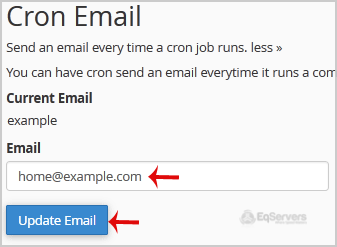
3. Under "Cron Email" you should enter your full e-mail address in text field.
4. Click on the "Update Email" Button.
Lets learn about cPanel, and how to navigate it's many pages and functions. Making sure that your...
This tutorial will teach you how to change your cPanel password. Please remember to make your...
This tutorial will teach how to change your cPanel style. cPanel comes in a variety of styles and...
This tutorial will teach you how to keep your contact information up to date in cPanel. It is...
Before you can log into cPanel, you must open your Internet browser. This will work in whatever...